
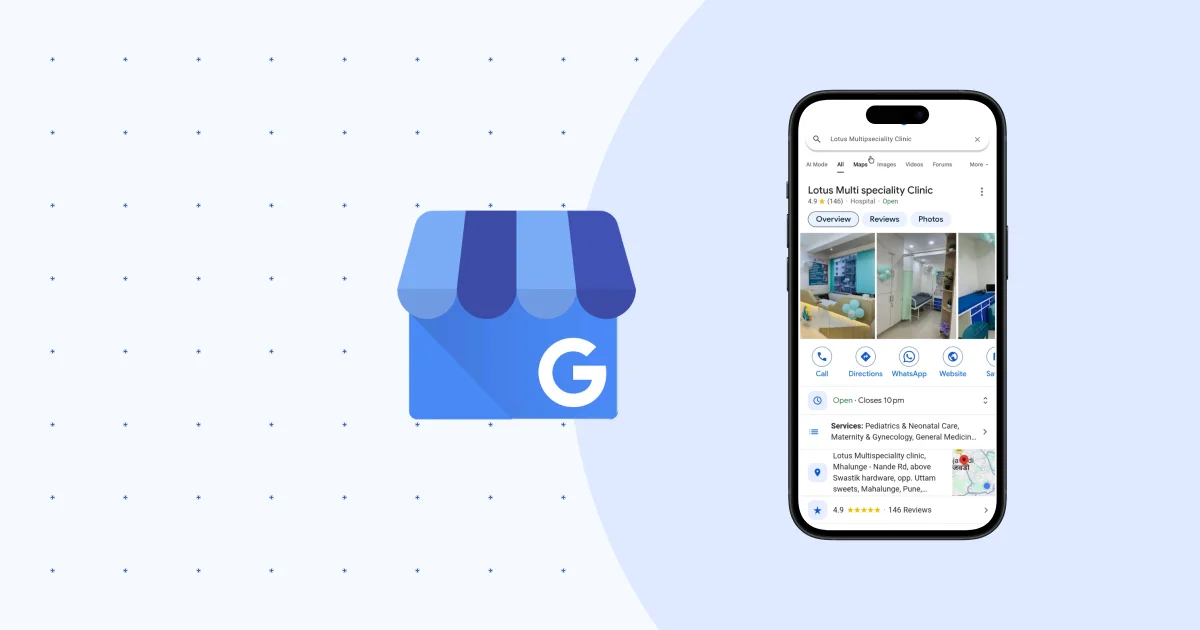
If you run a local business in India today, your Google Business Profile (most of us still call it GMB out of habit) is doing more heavy lifting than your website. Think about it honestly — when was the last time you searched for a “plumber near me” or “best bakery in Kothrud” and clicked through five pages of a website before deciding? You probably looked at the map pack, checked the star rating, skimmed two or three reviews, and picked up the phone. That’s the entire customer journey now, and it happens inside Google, not on your site.
At WordPlus, we’ve set up and cleaned up dozens of GMB profiles for shop owners, service providers, and small brands across Pune and beyond. And honestly, most businesses are sitting on a goldmine they’ve barely touched. This isn’t a “list your business and forget it” tool anymore — Google has quietly turned it into a mini-website, a review engine, and an ad platform, all rolled into one free listing. So let’s actually go through what a real GMB playbook looks like in 2026, not the generic “fill out your profile” advice you’ve read a hundred times.
Why GMB Matters More Than Your Website Right Now
Here’s an uncomfortable truth: for most local searches, Google doesn’t even want to send people to your website. It wants to answer the query right there in the search results — your hours, your phone number, your reviews, your photos, your menu or price list. Your website only gets a click if someone wants to dig deeper.
That means your Business Profile has effectively become your storefront on the internet. If it’s incomplete, outdated, or has three-star reviews sitting unanswered, that’s the first impression a potential customer gets — before they’ve even talked to you. We’ve seen businesses with genuinely great service lose customers simply because their profile looked neglected. Meanwhile, a mediocre shop with an active, well-managed profile pulls in steady footfall. It’s not always fair, but it’s how local search works now.
Step 1: Get the Basics Airtight
I know this sounds obvious, but you’d be surprised how many listings we audit that have the wrong pin location, an old phone number, or a category that doesn’t even match what the business does. Before you touch anything fancy, nail down these fundamentals:
- Business name — exactly as it appears on your signboard. Don’t stuff keywords like “Best Salon in Pune | XYZ Salon.” Google penalizes this, and honestly it looks a bit desperate to customers too.
- Primary category — this is one of the strongest ranking signals you have. A “hair salon” and a “beauty salon” rank for different search terms, so pick the one that matches what most of your revenue actually comes from.
- Secondary categories — add every relevant one. If you’re a bakery that also does custom cakes and coffee, add all three categories so you show up across different search intents.
- Address and service area — get the pin exact. If customers walk in wearing a confused expression asking “where exactly is your shop,” that’s a signal your pin is off.
- Phone number and website — use a number that’s actually answered during business hours. A phone that rings out is worse than not listing one at all, because Google tracks call activity and factors it into your visibility.
Step 2: Photos Aren’t Decoration, They’re Conversion Tools
We tell every client this and half of them still skip it: businesses with more photos get significantly more direction requests and website clicks than those with just a logo and a stock storefront shot. People want to see what they’re walking into.
For a retail shop, that means real photos of the interior, the products on shelves, staff at work, even the billing counter. For a restaurant, it’s the food, plated well, in natural light — not a dark photo taken in a hurry. For a service business, before-and-after shots work brilliantly if your work is visual (think interior designers, salons, tailors, mechanics).
Upload new photos every few weeks, not just once during setup. Google’s algorithm notices activity, and so do customers scrolling through — a profile that was last updated two years ago quietly tells people you might not be around anymore.
Step 3: Reviews Are Your Real SEO Strategy
This is where most local businesses drop the ball completely. Reviews aren’t just social proof for customers — they are one of the strongest ranking factors Google uses for local search. Quantity matters, recency matters, and how you respond matters just as much as the star rating itself.
A few things that actually move the needle:
- Ask happy customers for a review right at the moment of satisfaction — right after a haircut, right after delivery, right after the service call. Don’t wait a week; by then most people forget.
- Make it stupidly easy. Send them your direct review link over WhatsApp. A QR code at the billing counter works well for walk-in businesses.
- Reply to every review, good or bad, within a day or two. A thoughtful reply to a negative review often does more for your credibility than ten five-star reviews with no owner response.
- Never buy fake reviews. Google has gotten aggressive about detecting and penalizing this, and it can tank your entire profile overnight.
Step 4: Use Posts Like You’d Use Instagram Stories
Most business owners don’t even know GMB has a “Posts” feature, sitting right there like an underused muscle. You can post offers, events, new arrivals, or updates, and they show up directly on your profile. It’s essentially free advertising space that almost nobody is using properly.
If you’re running a festive offer, a new menu item, or a workshop, post it. Keep it short, add a photo, and include a call to action button — “Call Now,” “Book,” or “Learn More.” Profiles that post regularly tend to show up more prominently in local searches, likely because Google reads it as a sign of an active, trustworthy business.
Step 5: Questions & Answers — Don’t Leave This to Strangers
Here’s a section people forget exists until a random stranger has already answered a customer’s question incorrectly. The Q&A section on your profile is open to anyone, and if you don’t seed it yourself, you’re leaving your customer communication to chance.
Go in and pre-populate it with the five or six questions you get asked most often — “Do you have parking?” “Are you open on Sundays?” “Do you take advance bookings?” — and answer them yourself. It saves you repetitive phone calls and gives searchers instant confidence.
Step 6: Products, Services, and Menus — Show, Don’t Make People Ask
Depending on your business category, GMB lets you list actual products, services with pricing, or a full menu. Use it. A customer comparing three salons in the area is far more likely to walk into the one where they can already see the haircut prices than the one where they’d have to call and ask.
This also helps with something called “GMB SEO” — the more structured, keyword-relevant information you feed into your profile, the more specific search queries you can match. Someone searching “bridal makeup price Pune” is far more likely to land on a profile that has actually listed bridal makeup as a service with an approximate price range.
Step 7: Track What’s Actually Working
GMB gives you insights — how many people searched for you directly versus discovered you through a category search, how many called, how many asked for directions, how many clicked your website. Most owners never open this tab. We check it monthly for our clients because it tells you exactly where to focus next.
If you’re getting a lot of profile views but very few calls, your photos, reviews, or pricing information probably need work. If you’re getting calls but few website clicks, and your website actually matters for your business, then your GMB-to-website funnel needs attention.
A Quick Word on Consistency (NAP)
Your Name, Address, and Phone number (NAP in local SEO circles) needs to match exactly across Google, Justdial, Facebook, your website footer, and anywhere else you’re listed. Inconsistent information across platforms confuses Google’s local algorithm and can quietly hurt your rankings, even if each individual listing looks fine on its own.
The Honest Bit
None of this is complicated in theory. The hard part is doing it consistently — updating photos, replying to reviews, posting offers — while you’re also busy actually running the business. That’s usually where things fall apart, not because owners don’t understand GMB, but because there’s no time left in the day for it.
If that sounds familiar, this is exactly the kind of thing we handle for clients at WordPlus Studio, alongside their website and broader SEO. We set up the profile properly once, then keep it active so it keeps working for you in the background. No upselling, just a profile that actually brings in customers — happy to hop on a quick call and take a look at yours.
FAQs
How often should I update my Google Business Profile?
At least once every 1–2 weeks — new photos, a post, or a reply to a fresh review. Google’s algorithm favours profiles that show consistent activity over ones that were set up once and left untouched.
Does replying to Google reviews actually affect ranking?
Yes. Review response rate and recency are both factored into local ranking signals, and responding — especially to negative reviews — also directly influences whether a browsing customer decides to call you.
How many photos should a Google Business Profile have?
There’s no fixed number, but profiles with 20+ genuine, recent photos consistently get more direction requests and website clicks than ones with just a logo and a storefront shot.
Can I change my GMB category later?
Yes, and you should revisit it if your business offerings change. Picking the most accurate primary category (not the broadest one) has a direct impact on which searches you show up for.
Leave a Reply